New: six website templates to choose from.

How it works

From first idea to
live website.

The PawLoop Website Builder is designed for busy pet professionals, not web designers. Here's the whole journey, step by step, with real screenshots.

Step 1

Open it from PawLoop

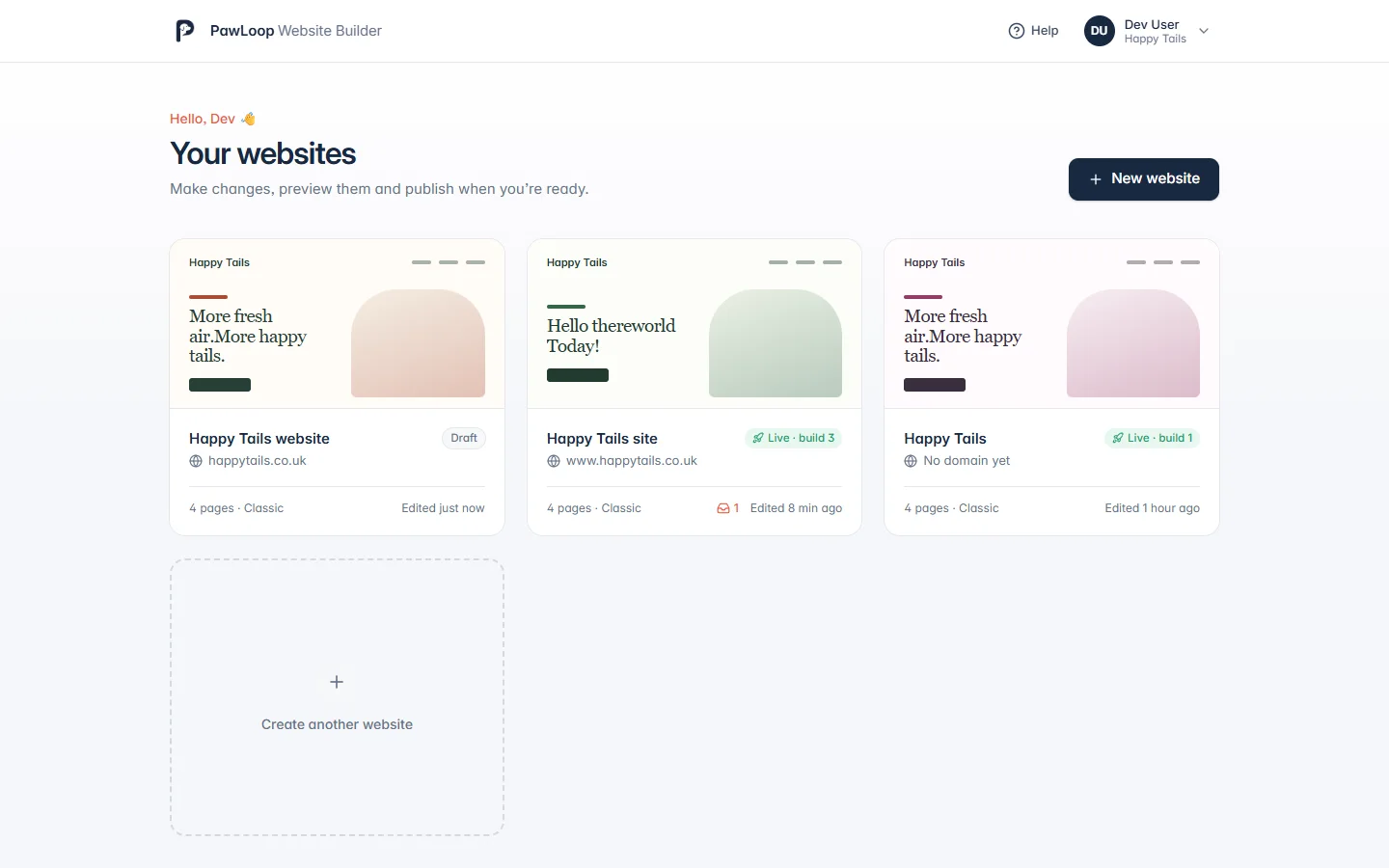
Choose Website Builder in PawLoop and you’re straight in. There are no extra passwords or accounts. Create your website from a professionally designed template made for pet businesses.

  • Opens straight from your PawLoop account
  • Your whole team can help, if they have access
Open it from PawLoop in the PawLoop Website Builder

Step 2

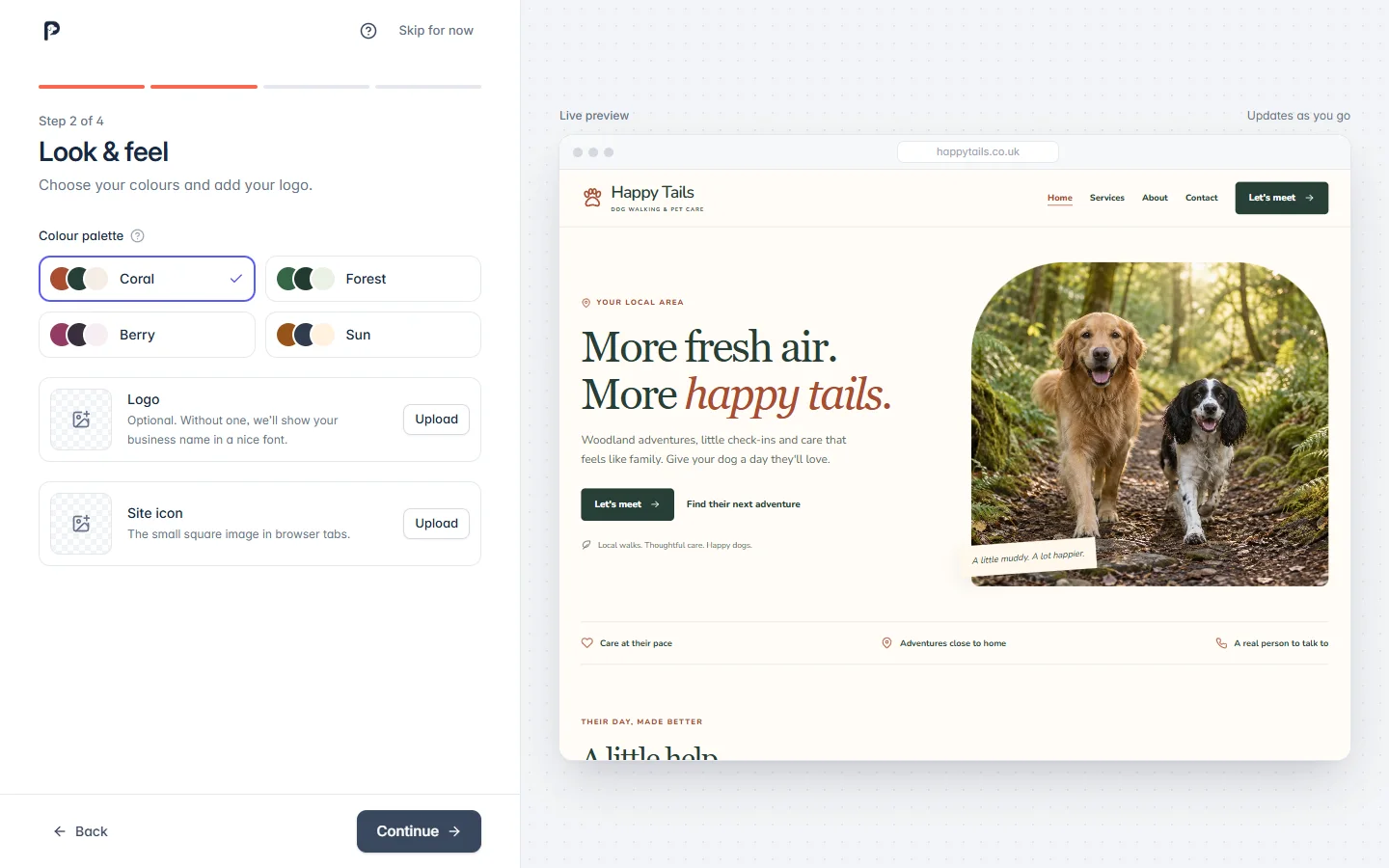
Answer a few friendly questions

A quick setup asks for your business details, colours, logo and services. A live preview updates as you type, so you can see your website taking shape.

  • Takes about five minutes
  • Skip it and come back any time
Answer a few friendly questions in the PawLoop Website Builder

Step 3

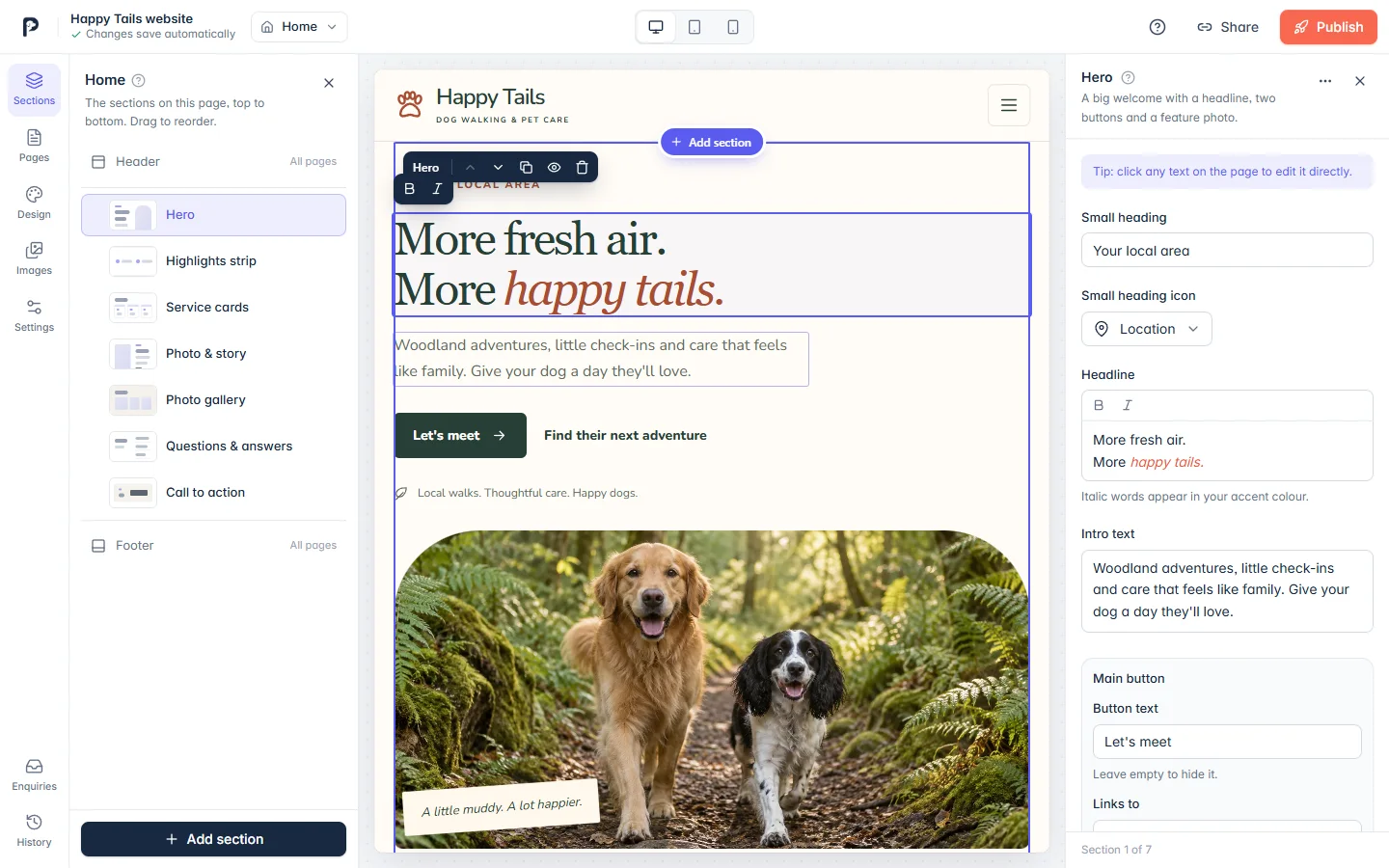
Edit right on the page

Click any words on your website and type. Hover over a photo to replace it. Each section has a small toolbar to move, duplicate, hide or delete it, and Add section opens a library of ready-made layouts.

  • Everything saves automatically
  • Preview on desktop, tablet and phone
Edit right on the page in the PawLoop Website Builder

Step 4

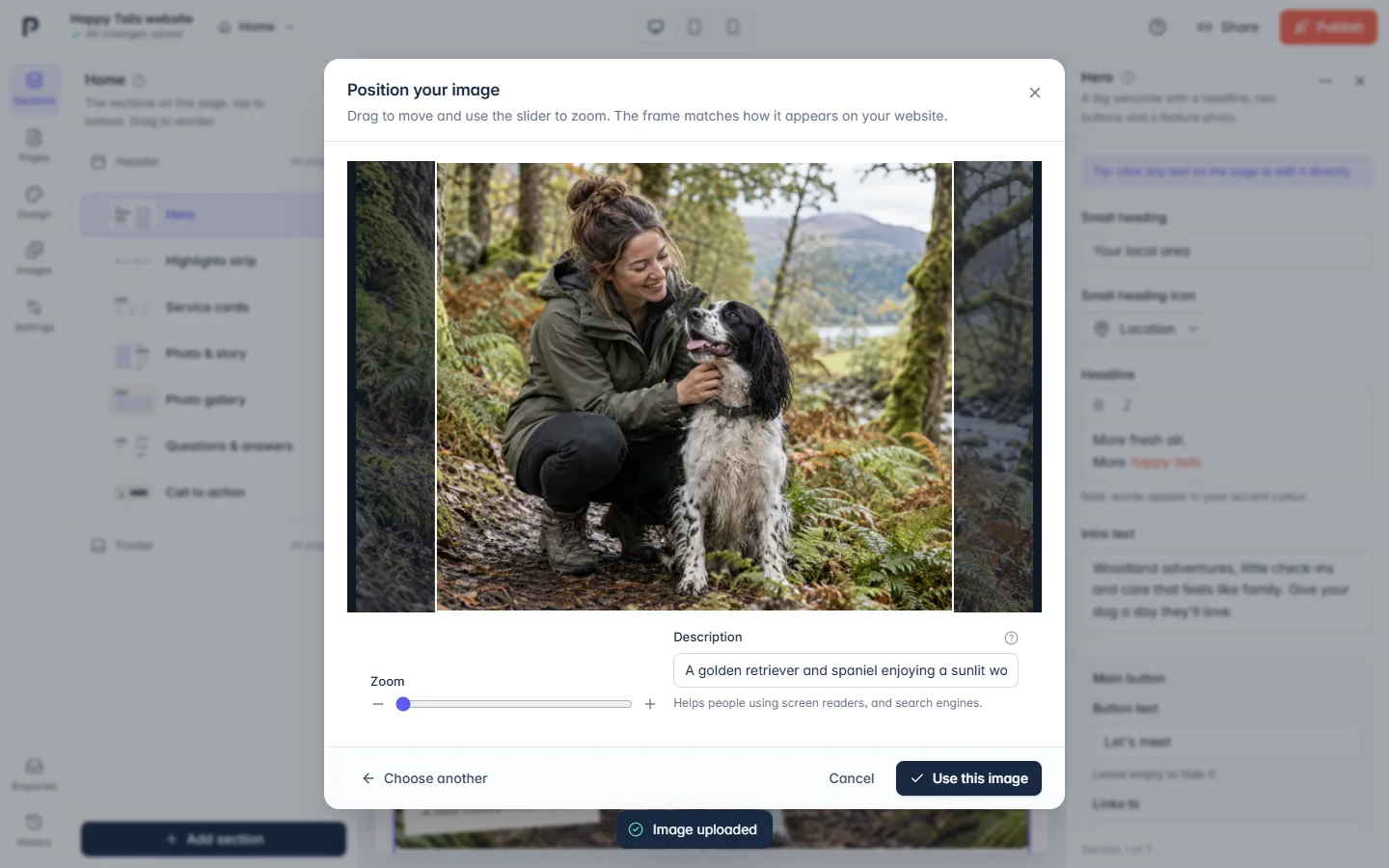
Your photos, perfectly framed

Upload photos straight from your phone. We optimise them for you, then you drag and zoom to choose exactly what shows in each space. The frame matches your website, so there are no surprises.

  • JPG, PNG and WebP up to 15MB
  • Add a description for accessibility and search
Your photos, perfectly framed in the PawLoop Website Builder

Step 5

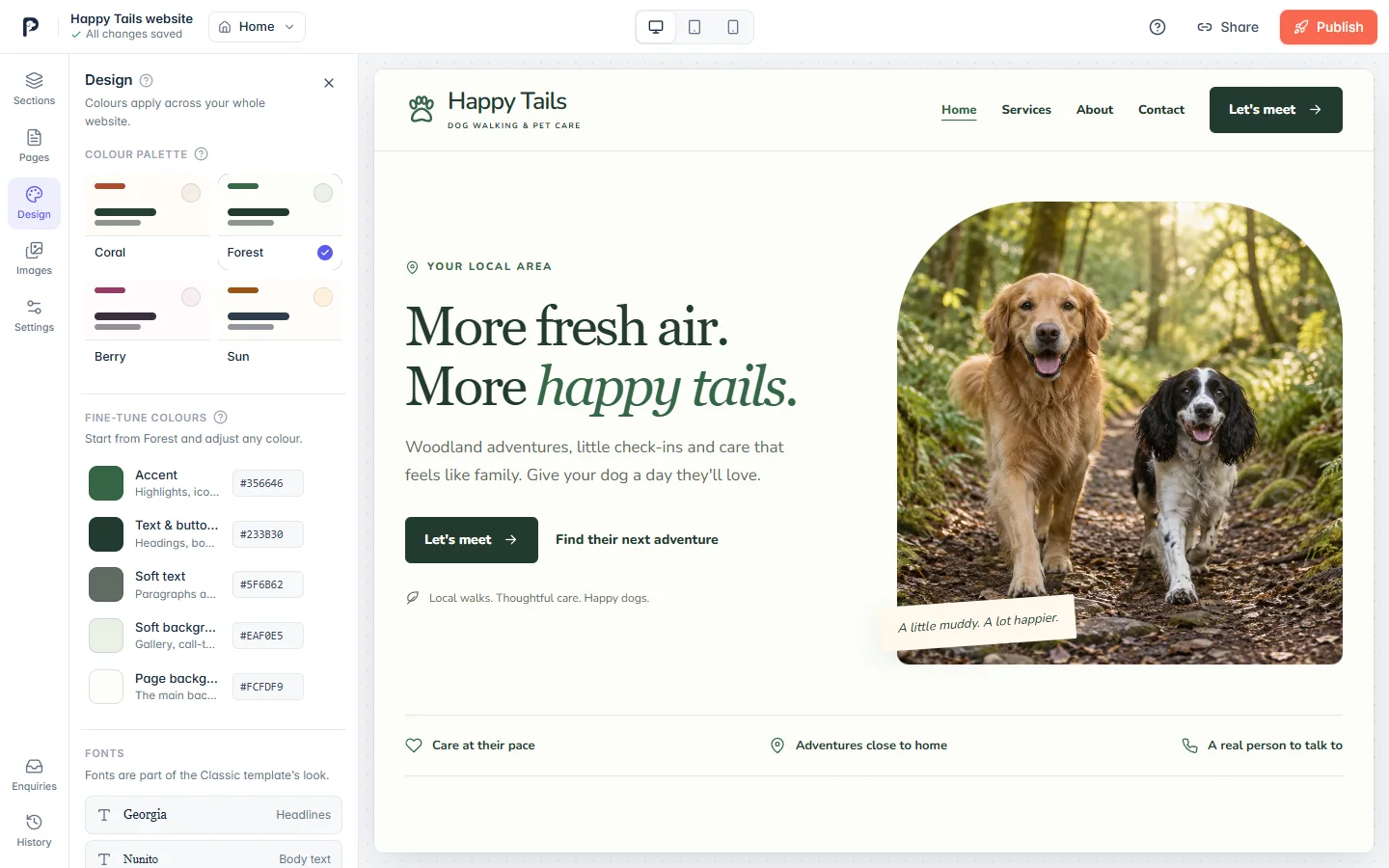
Make it look like you

Pick a colour palette, then fine-tune any colour to match your brand. We’ll gently warn you if text becomes hard to read. Add your logo and site icon in Settings.

  • Changes apply to every page at once
  • Fonts chosen to pair beautifully
Make it look like you in the PawLoop Website Builder

Step 6

Share, then publish

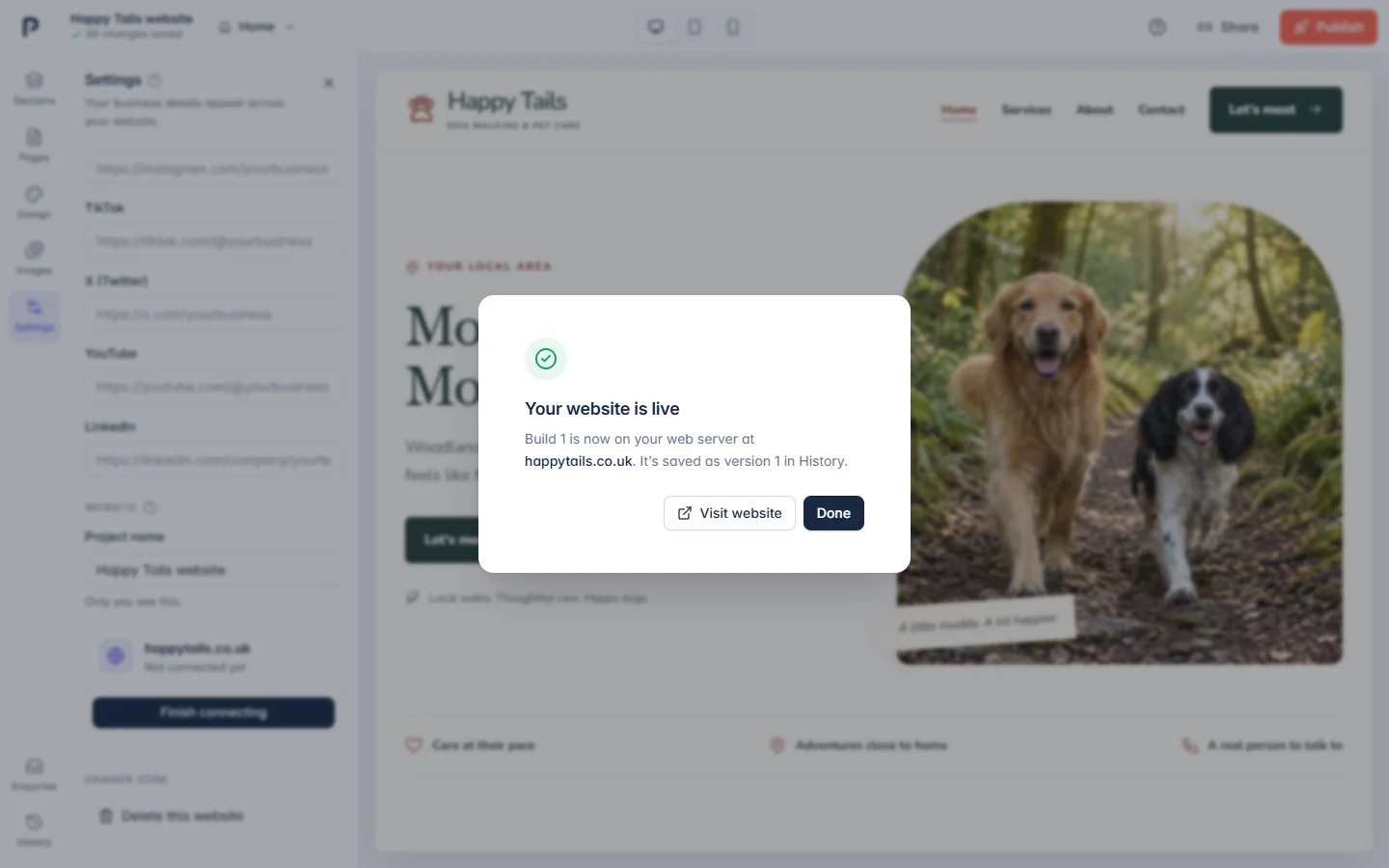
Send a private preview link to get feedback before you go live. When you’re happy, choose Publish. Your website is turned into fast, lightweight files and put live in seconds.

  • Only changed files are uploaded
  • Every publish is kept as a version
Share, then publish in the PawLoop Website Builder

Step 7

Connect your domain

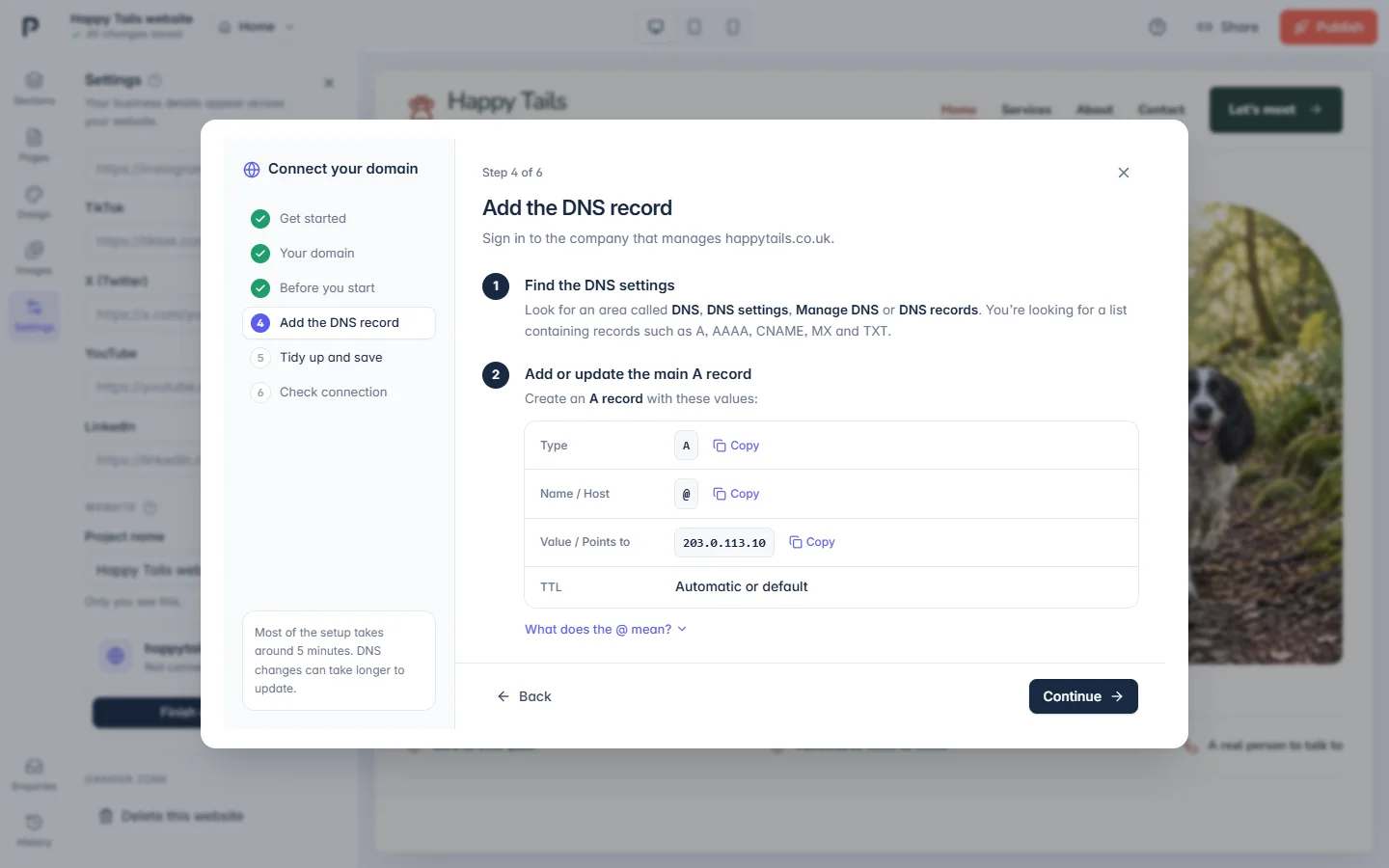
Use the web address you already own. Our wizard shows you the one DNS record to change, with copy buttons, and checks the connection for you. Buying a domain inside PawLoop is coming soon.

  • No transfers or nameserver changes
  • Your email keeps working
Read the domain guide
Connect your domain in the PawLoop Website Builder

Always

Help whenever you need it

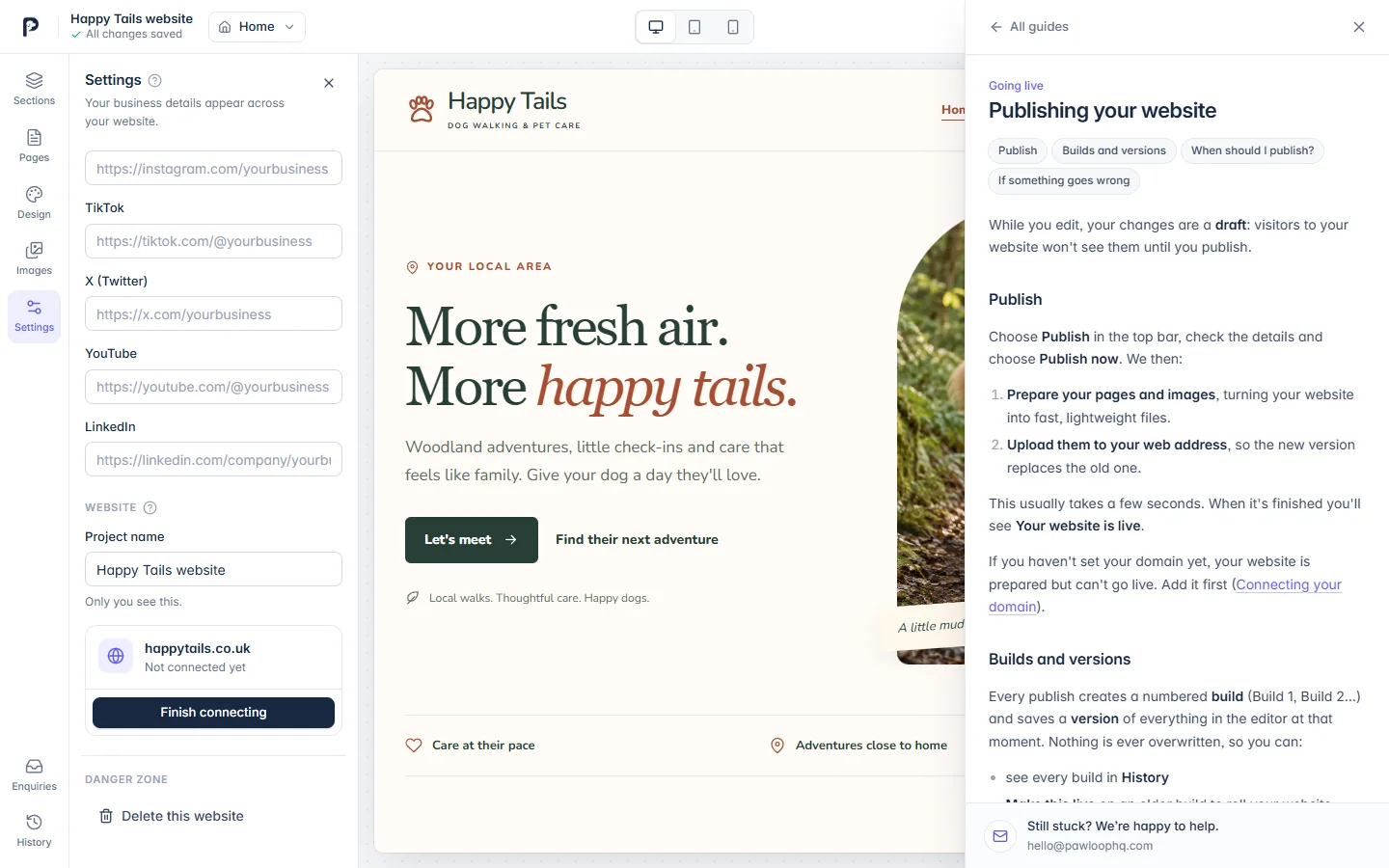
Press the ? at any time to open step-by-step guides beside your website, and look for the little ? icons next to settings for quick explanations.

  • Search every guide
  • Real people at the end of an email
Browse the guides
Help whenever you need it in the PawLoop Website Builder

After launch

Easy to keep
fresh.

Your website grows with your business. Update a price, add a new service or swap the seasonal photos in a couple of minutes.

Enquiries inbox

Messages from your enquiry form arrive in the builder, ready to reply to. Soon they'll flow straight into PawLoop too.

Nothing is ever lost

Save versions before big changes, restore any version into the editor, or roll your live website back to an earlier build.

Room to grow

Add information pages for areas you cover, policies or pricing, each built from the same easy sections.

Ready when you are

Let's build your
website.

Open PawLoop and choose Website Builder to get started.

Open PawLoop